5 Signs Your Joinery Shop Has Outgrown Spreadsheets (And What to Do About It)
- Mark Bennet

- May 6
- 6 min read

Spreadsheets are where every workshop starts. And fair enough — they're free, everyone knows how to use them, and they work fine when you're small.
But spreadsheets don't scale. At some point, what used to feel like a simple system starts creating more problems than it solves. You're spending hours maintaining them, nobody trusts the numbers, and the one person who understands how they work is a single point of failure.
The tricky part? Most workshop owners don't realise they've outgrown spreadsheets until the problems are already costing them real money. That's when joinery shop management software stops being a nice-to-have and starts being essential.
Here are the five signs it's time to make the switch.
Sign 1: Your Quoting Is Based on Gut Feel, Not Data
Ask yourself: when you put together a quote for a new kitchen or a set of custom joinery, where do the hour estimates come from?
If the answer is "experience" or "I just know roughly," you're guessing. And guessing works — until it doesn't.
Spreadsheets can store your quotes. But they can't automatically compare your quoted hours against your actual hours across your last 50 jobs. They can't show you that your average kitchen install takes 38 hours, not the 30 you keep quoting. They can't flag that one particular job type consistently runs 25% over.
That kind of analysis requires your quoting data and your time tracking data in the same system, connected at the job level. Spreadsheets can technically do this if you build it yourself. But let's be honest — nobody maintains those formulas after the first month.
The result? You keep underquoting. You win jobs by being cheap. And you wonder why margins are thin.
What this costs you: Even a 10% underquote on labour across your jobs adds up fast. On a shop doing $1.5 million in revenue with 50% labour costs, that's $75,000 in undercharged work per year.
Sign 2: You've Got Multiple Versions of the Truth

The spreadsheet on the production manager's computer says Job #312 is on schedule. The spreadsheet the office manager uses says it's over budget. The one the owner checks says it hasn't started yet.
Multiple spreadsheets mean multiple versions of reality. Nobody's wrong — they're just looking at different data. The problem is, nobody's right either.
This happens naturally as a workshop grows. Different people need different views of the same information. So they create their own spreadsheets. Before long, you've got five files that should agree but don't.
The weekly meeting becomes a reconciliation exercise. Everyone brings their spreadsheet. Half the meeting is spent figuring out whose numbers are correct.
What this costs you: Time, mostly. But also bad decisions based on bad data. If the production manager thinks the CNC is available next week (because his spreadsheet says so) and books a job, but the reality is that it's already committed — you've got a scheduling conflict that creates overtime, delays, and unhappy clients.
Sign 3: One Person Holds All the Knowledge
Every workshop has this person. They know how the spreadsheet works. They know which formulas to update when a new job starts. They know the workarounds for the bits that break.
When that person is on holiday, everything slows down. When they're sick, things stop. When they leave? Good luck.
This isn't a people problem. It's a systems problem. Spreadsheets are infinitely customisable, which means they become infinitely personal. The logic lives in that person's head, not in the system.
Proper workshop software standardises the process. Job creation follows a template. Time tracking has defined steps. Reporting runs automatically. Anyone can pick it up because the system enforces the workflow.
What this costs you: Risk. If your key person leaves and your spreadsheets break, you're back to paper and memory until someone rebuilds the system. That's weeks of lost visibility and potentially months of inaccurate data.
Sign 4: You Can't Answer Basic Questions Quickly
Try answering these right now:
What's the total WIP (work in progress) value across all active jobs?
Which three jobs have the biggest variance between quoted and actual hours?
What's your average job profitability over the last quarter?
How many hours of capacity do you have available next week?
Which team member has the highest utilisation rate?
If answering any of those takes more than 60 seconds, your systems aren't working hard enough.
Spreadsheets can store the data. But pulling insights from them requires manual work — filtering, cross-referencing, building pivot tables. Most people don't bother. They run the business on feel instead of data.
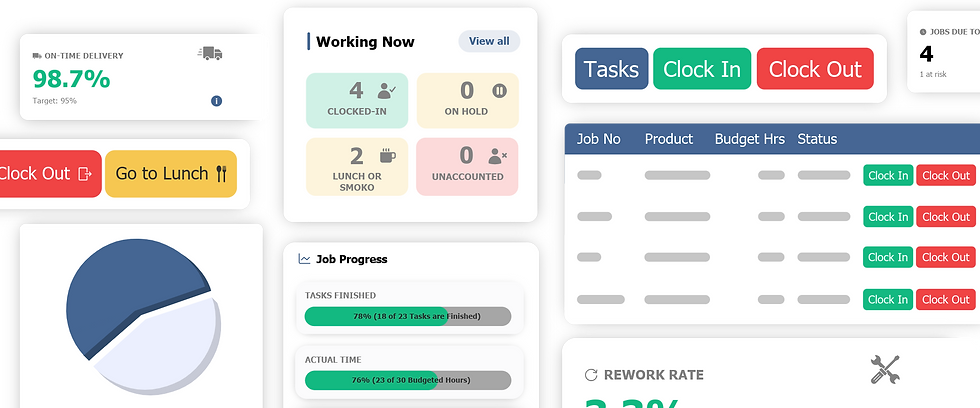
Workshop management software generates these answers automatically. Real-time dashboards. One-click reports. The data is there because it's captured as part of the normal workflow, not because someone remembered to update a spreadsheet.
What this costs you: Missed problems and missed opportunities. A job running 30% over budget is a problem — but only if you catch it early enough to act. A gap in next week's schedule is an opportunity — but only if you can see it.
Sign 5: Your Admin Time Keeps Growing
This one creeps up on you. When the shop was five people, the spreadsheet admin took an hour a week. Now you're at twelve people and it takes half a day.
Entering timesheets. Updating job status. Cross-referencing purchase orders. Building reports for the monthly review. Exporting data into Xero. Each task is small. Together they're a part-time job.
And here's the kicker: most of that admin is moving data between systems. The timesheet data goes from the spreadsheet into Xero manually. The job cost data gets pulled from Xero back into a different spreadsheet. Purchase orders get entered twice — once for tracking, once for accounting.
This is the administrative tax of running a growing business on spreadsheets. It only goes up.
What this costs you: At a loaded cost of $35/hour, half a day per week of admin is roughly $9,000 per year. Plus the errors that come with manual data entry. One wrong number in a timesheet means wrong payroll, wrong job costs, and a wrong GST return.
What Comes Next
If you recognised three or more of these signs, it's time to look at joinery shop management software. Here's how to approach it without disrupting your whole operation.
Don't try to replace everything at once
Start with the biggest pain point. For most joinery shops, that's time tracking. Get everyone logging time against jobs properly. That single change gives you job costing accuracy, better quoting data, and payroll integration.
Pick software built for workshops

Generic project management tools — Trello, Monday, Asana — are designed for office work. They don't understand job-based manufacturing, shop floor time entry, or workshop scheduling.
Look for joinery shop management software designed for NZ manufacturers. It should come with industry templates, understand your workflow, and integrate with the accounting tools you already use (Xero, MYOB, or QuickBooks).
Set a realistic timeline
A good system should be up and running in one to two weeks. Not months. If a vendor tells you implementation takes three months, the software probably isn't a good fit for your type of business.
Involve the team early
The production manager, the office admin, and a couple of your shop floor staff should all see the software before you commit. If the people who'll use it daily think it's too complicated, it doesn't matter how good the features are.
Keep your spreadsheets — for now
Run both systems in parallel for two to four weeks. This gives you a safety net and lets you verify that the new data matches reality. After that, you'll wonder why you didn't switch sooner.
The Bottom Line
Spreadsheets are a starting point, not a destination. They work when you're small and simple. But as your joinery shop grows — more jobs, more people, more complexity — they become a bottleneck instead of a tool.
The switch to proper joinery shop management software isn't about technology for technology's sake. It's about getting visibility into your business, making better decisions, and stopping the admin burden from growing faster than your revenue.
If you're spending more time managing spreadsheets than managing your workshop, that's the clearest sign of all.
Empower Software replaces the spreadsheet juggle with one system that handles time tracking, job costing, scheduling, and Xero integration — built specifically for NZ manufacturers. See if it's the right fit →



Comments